
Cable Management Tips for IEC C13 Cables in Data Centers
Taking care of the power delivery systems in modern data centers requires accuracy, planning, and a methodical approach. IEC C13 cable assemblies are one of the most common but important parts. They are the global power plugs that connect computers, networking equipment, and storage devices to stable power sources. Bad wire handling makes things less safe, slows down airflow, and makes it harder to fix problems during important downtimes. Server rooms that are disorganized can be turned into streamlined, high-performance facilities with strategic planning for cable selection, routing, security, tracking, and purchase. These five useful tips will help buying teams, data center managers, and IT workers make the most of their power infrastructure while still meeting safety standards and keeping operations running.
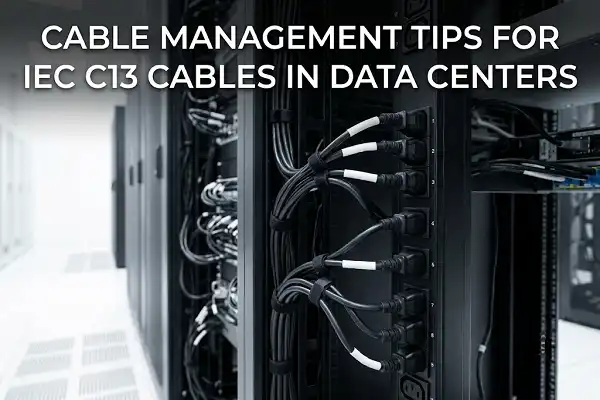
Understand the Unique Characteristics of IEC C13 Cables
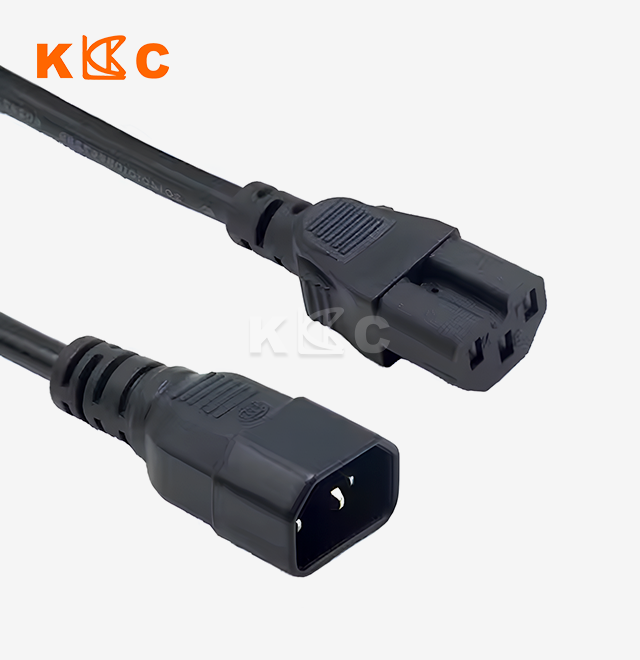
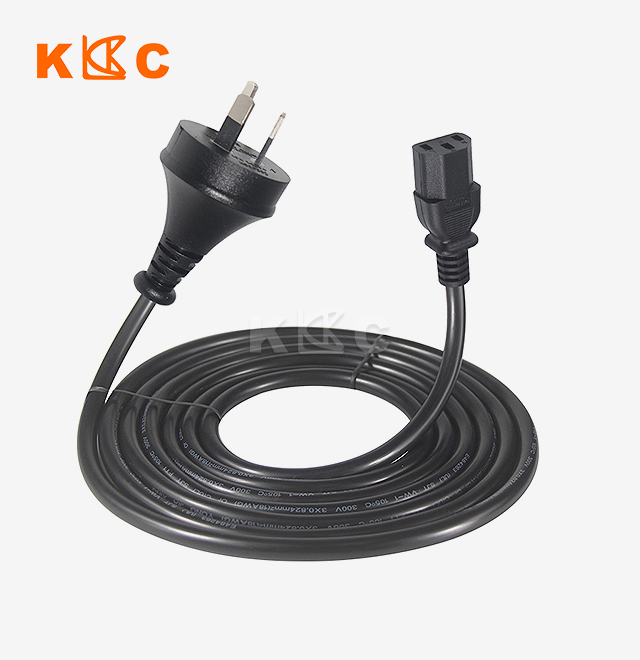
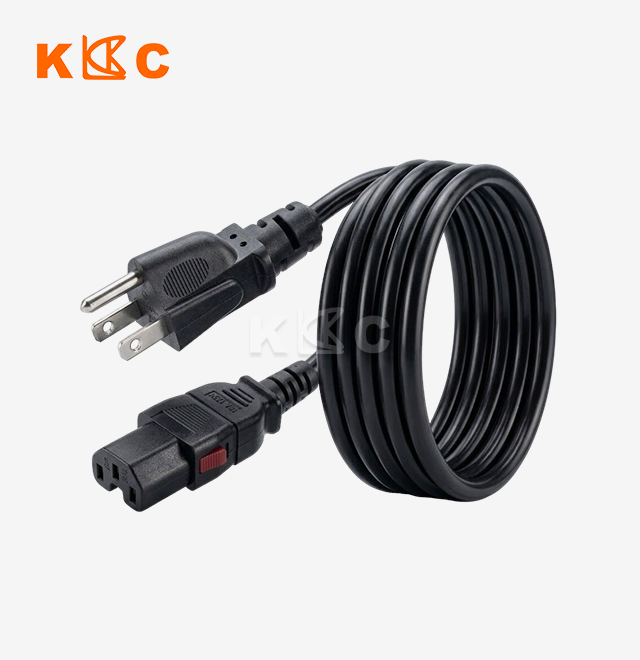
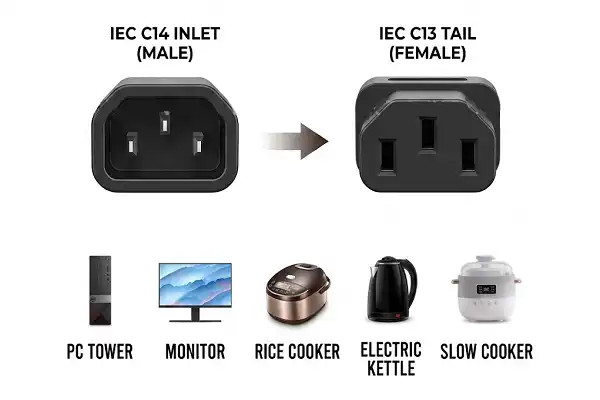
Before you can build a reliable data center, you need to know exactly how your equipment gets power. Most business computers, switches, and power distribution units have C14 male inlets that pair with the IEC 60320 C13 female connection. In normal situations, this standard interface works at 10A and 250V, and it can handle pin temperatures of up to 70°C while it's running all the time.
Identifying Voltage Ratings and Current Capacities
Knowing the electrical specs keeps circuits from being overloaded and devices from breaking down. In ideal conditions, standard IEC C13 plugs can handle loads of up to 2,500 watts. However, in real life, steady draw is usually limited to 80% of capacity for safety reasons. Choosing the right wire size has a direct effect on performance. 0.75mm² conductors work well for light-duty office equipment, while 1.5mm² copper cores can handle heavy server loads with little voltage drop over longer cable runs.
Differentiating C13 from Similar Connector Types
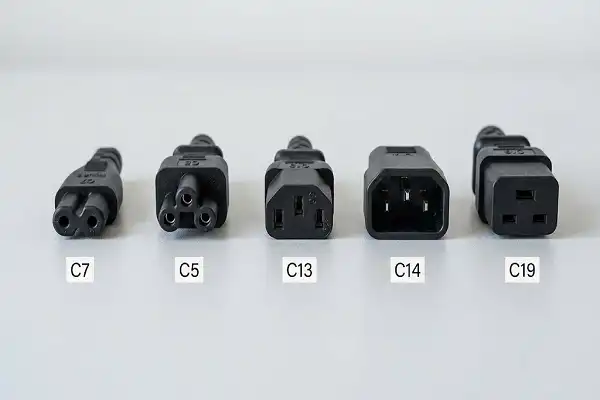
When people mix up the types of connectors, they can't work together properly and there are safety risks. The C13 female connection is different from the C15 high-temperature versions, which have a pointed shape for devices that make too much heat. C14, on the other hand, is the male inlet version and is not a cable-mounted connection. For power-hungry blade servers and large storage systems, C19 connectors can handle higher amperage (16A). They are different from normal IEC C13 uses because their pins are farther apart and their contact surface area is bigger.
Selecting Shielded vs. Unshielded Cable Designs
Conditions in the environment determine how cables should be built. Shielded power lines have layers of twisted copper or aluminum foil that block electromagnetic interference. This is especially helpful in racks with a lot of cables running in parallel. Standard office setups with little computer noise can use wires that aren't shielded. Some places require ferrite beads to be on the ends of cables to stop radio frequency interference that can damage sensitive networking gear.
Compliance with Global Safety Standards
Certifications prove that the wire is of good quality and follows the law in all areas. UL listing confirms safety standards in North America, while UKCA and CE marks allow use in Europe. Kuncan Electronics tests all of our IEC C13 cable assemblies for continuity and polarity to make sure they meet BS 1363 standards for setups in the UK with 13A fused plugs. RoHS and REACH compliance makes sure that rules about dangerous substances are followed, which protects the health of both end users and the environment. These certificates take away the guesswork from buying things and make foreign deployments easier.
Optimize Routing and Organization to Minimize Interference and Hazards
Routing IEC C13 cable in a smart way can turn a mess of boxes into a system that is easy to keep up. Planning ahead can cut down on electromagnetic interference, make cooling more efficient, and speed up troubleshooting during repair times.
Grouping Cables by Function and Power Requirements
Crosstalk and interference can be avoided by keeping power and data lines separate. Power distribution works better with vertical managers or specialized cable trays that keep high-current wires away from sensitive Cat6 Ethernet runs. Putting similar devices on the same circuit makes balancing the load across stages easier and lets repair workers shut down everything at once. Using color codes—red for key infrastructure, yellow for secondary systems, and blue for control networks—makes it easy to see what needs to be done in an emergency.
Maintaining Appropriate Separation Distances
Spacing between wire bundles lowers the buildup of heat and electric fields. As a general rule, there should be at least 6 inches of space between power and data paths when they are outside. For high-power circuits with more than 15 amps of current, the distance should be even bigger. Care must be taken when placing cables in hot aisle/cold aisle control schemes so that they don't block perforated floor tiles or stop airflow from cooling units. To make sure there is enough air flow around the wires, vertical cable managers should never be more than 50% full.
Implementing Clear Labeling and Documentation Systems
Labels that are correct save a lot of time when fixing problems and making changes. Labels made of durable vinyl or heat-shrink that can handle changes in humidity and temperature in the data center should be put on both ends of each wire to show the source and target information. Infrastructure management software turns actual cable runs into searchable files that show how the network is set up logically. Smartphone users can read the QR codes on cable tags to get quick access to information about when the cables were installed, whether they were certified, and how often they were serviced.
Calculating Optimal Cable Lengths
Custom wire lengths get rid of the extra slack that gets in the way and stops movement. Kuncan Electronics can make lengths that are customized from 0.5m to 10m, so they can match exact rack-to-PDU distances without having to waste time coiling. Shorter cables lower voltage drop and save money on materials when bought in bulk. Angled connectors, which come in both left and right forms, make it easier to work with equipment that is placed on a rack. Specifying the exact length when buying avoids the cable handling problems that happen in places that use normal off-the-shelf lengths.
These organizational strategies make infrastructure that is easy to manage and can change to changing technology needs without having to do full re-cabling projects. Systematic planning during the initial rollout pays off over and over again throughout the lifecycle of a building.
Implement Durable Support and Protection Accessories
Long-term dependability depends on the physical infrastructure that supports cable runs. Good additions keep things from breaking because of vibrations, weight stress, and weather factors, and they also keep things in line with fire safety rules.
Selecting Appropriate Cable Trays and Pathways
Ladder-style cable trays for IEC C13 cable are good for heavy-duty setups with a lot of large-diameter power feeds because they offer strong support and good air flow. Basket trays are great for places where power and data cords need to be kept together because they can hold a lot of wires and are easy to change. For runs that are placed on the roof in offices, wire mesh pathways are a lightweight option. In industrial settings where falling objects are a risk, solid-bottom trays protect sensitive conductors. The building conditions determine the choice of material, such as galvanized steel to prevent rust, aluminum to reduce weight, or powder-coated finishes for chemical settings.
Utilizing Proper Fastening Methods
When you tighten cable ties too much, you damage the insulation around the conductors and create stress points that cause the ties to break early. Hook-and-loop fasteners, like Velcro bands, make it possible to secure things again and again without hurting the jacket's materials when changes are made. Plastic cable ties should keep just the right amount of stress on the wires to group them together without making oval-shaped cables out of round ones. On rack rails, metal D-rings and J-hooks hold up vertical cable runs without sharp bend angles that go beyond what the maker specifies, which for power cords is usually 4 times the cable diameter.
Protecting Against Physical Hazards
High-traffic places near the aisles of a data center need more than just basic cable trays to keep cables safe. Floor-mounted cable bridges with hinged covers make it possible for repair workers to get to areas without tripping or getting hit by moving equipment carts. Flexible conduit covers exposed wire runs that could be damaged by impact, and split loom tubing groups smaller packages without having to disconnect them during installation. Corner guards with rounded edges get rid of the sharp edges that damage wire jackets when they are moved or switched around regularly.
Temperature and Moisture Considerations
Extreme weather conditions require special wire building. Standard PVC jackets work well in climate-controlled spaces, but we also offer TPE compounds that are more flexible in cold storage areas, rubber formulations that are good for oil-resistant industrial uses, and LSZH (Low Smoke Zero Halogen) materials that meet strict fire safety codes in European installations. Corrosion can't happen in places with liquid cooling systems or a lot of humidity near HVAC equipment because of moisture-resistant versions with sealed connection boots.
Investing in good support infrastructure saves expensive cable investments and cuts down on repair costs and unplanned downtime. When combined with business strategies, these safety steps make complete cable management systems.

Deploy Advanced Monitoring and Maintenance Strategies
Potential problems are found before they cause downtime by proactive tracking. When you combine cable management with building tracking systems, you stop fixing problems after they happen and start planning for future maintenance.
Integrating with DCIM Systems
Modern tools for managing the infrastructure of a data center for IEC C13 cable keep track of each cable link, as well as power use, temperature, and planning for capacity. Automatic discovery tools make a picture of the physical connections between devices and PDUs. This shows any cables that aren't being used and are taking up room in the rack after the equipment is turned off. Real-time load tracking lets managers know when circuits are getting close to their capacity limits. This lets them redistribute the load before the breakers trip during times of high demand. Some high-tech systems use RFID tags on wire assemblies to keep track of supplies right away and do automatic audits.
Establishing Inspection Schedules
Regular physical checks find problems that aren't obvious to computer tracking as they grow. Cable jackets should be checked every three months for cracks, coloring that means they're getting too hot, or damage from too tight of packing that causes compression. Every year, thermographic scans find hot spots at connections that could mean that the connections are loose or that the contacts are rusted and drawing too much current. During maintenance windows, you can check the integrity of the strain relief, replace labels that are broken, and rearrange wires that got moved during emergency repairs.
Defining Replacement Criteria
Clear rules spell out when wires need to be retired and when they can still be used. If visible insulation damage reveals wires, the insulation must be replaced right away, no matter how old it is or how much it costs. If cables become brittle or crack when bent, this means that the insulation is wearing out and needs to be replaced during the next repair time. Moving equipment around naturally creates chances to replace old wires with newer protected versions that offer better interference protection and longer expected service life.
Upgrading to Premium Cable Specifications
For initial operations that are limited by budget, minimum accepted cable grades are often set. However, planned upgrades during refresh rounds improve stability over the long term. When there are a lot of cables in a rack, electromagnetic interference from other cables can be lessened by using shielded power lines. Hospital-grade plugs with stronger blade retention keep blades from coming loose by chance in places with a lot of shaking. Kuncan Electronics' reinforced strain relief designs make cables last longer in installations that are plugged in and out a lot. This justifies small price rises by lowering the number of times cables need to be replaced and improving uptime data.
These methods to tracking and maintenance change the way data centers are managed from reactive firefighting to planned optimization. This cuts down on emergency reactions and increases the life of the infrastructure.

Procurement Considerations for IEC C13 Cables in Bulk Orders
Using strategic buying to make sure that costs are low without sacrificing quality or the dependability of the supply chain. Large-scale projects need careful handling of specifications and choosing of suppliers.
Evaluating Supplier Credentials and Certifications
Manufacturers you can trust for IEC C13 cable have strict quality control programs that are backed up by third-party certifications. UL, UKCA, and CE approval shows that well-known brands care about safety standards, but these names usually come with higher prices. Direct connections with manufacturers, like the ones Kuncan Electronics offers, can save you money without lowering the quality of the product as long as both providers follow the same certification and testing rules. Make sure that any potential sellers test all of their cables electrically instead of just a few at random to make sure that every single one meets the requirements before shipping.
Balancing Cost Efficiency with Customization Needs
By buying in bulk, you can get economies of scale, and by customizing, you can meet unique operational needs. Standard cable lengths work well for rack setups that are all the same, but custom lengths get rid of waste and make managing cables better in buildings that are used for different things. Custom jacket tagging with business names or asset tags makes it easier to keep track of stock at multiple locations. Our production methods are flexible enough to allow small-batch customization without prohibitive minimum order numbers. This means that we can make custom solutions for unique uses along with large orders for standard configurations. Resellers and developers can build unique solution portfolios with the help of private label packaging.
Managing Lead Times and MOQ Requirements
Due dates for projects require suppliers to set reasonable wait times. Standard cables that are already made can be shipped within days, but cables that are made to order usually take 15 to 25 days to schedule production, get materials, and finish manufacturing. Samples are available for three to seven days, which lets you check the fit and function before committing to full production runs. If you know the minimum order quantity, you can avoid being charged more for small amounts, but if you already have a connection with the seller, you can often get urgent refill orders that fill in the gaps until the planned bulk supplies come.
Ensuring Responsive Customer Support
Technical questions come up during the development of specifications and during integration after delivery. Manufacturers that offer 24-hour reaction help (rhea@szkuncan.net) make it possible for problems to be fixed quickly across time zones. By giving free reviews of designs, engineering teams can find any interface issues before they go into production. This keeps expensive delays from happening because of mistakes in the specifications. Standard 1-year coverage against manufacturing flaws gives buyers a way to get their money back if something breaks too soon, and it keeps buying budgets safe from having to pay for replacements that they didn't expect.
Verifying Supply Chain Logistics
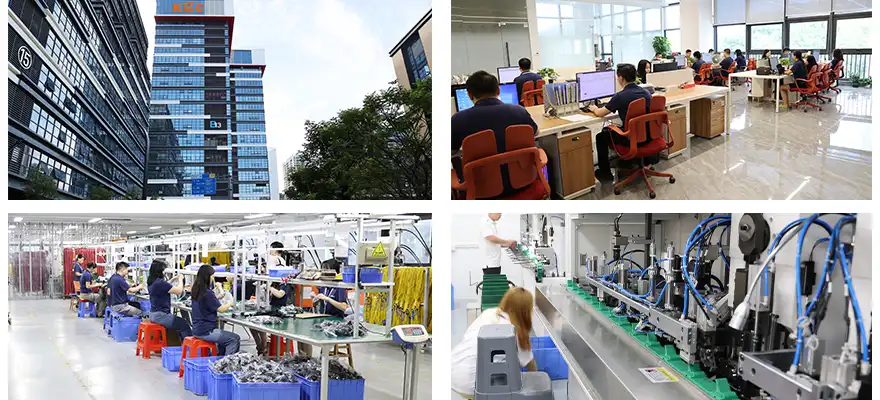
Location affects both the cost of shipping and the dependability of arrival. Our production base in Dongguan gives us access to a range of logistics choices, including air freight for pressing orders, ocean shipping for cost-effective bulk moves, and rail transport for distribution across the entire world. When compared to orders from multiple vendors, which need separate receiving processes, consolidated shipping from a single source makes incoming transportation simpler. Transparent freight forwarding relationships make it easier to buy things across borders by letting you see where your foreign packages are going and helping you with the paperwork needed for customs.
Selecting the right IEC C13 cable provider creates relationships that help you reach your long-term infrastructure goals. The hidden costs of early failures and repeated replacements that eat away at the initial savings from buying quality goods from reputable makers are kept at bay.
Conclusion
Professional data centers use effective cable management techniques, which can be distinguished from computer rooms that are a mess and have problems with reliability and upkeep. Power distribution networks that support mission-critical operations are built by understanding IEC C13 cable standards, using systematic organization strategies, protecting infrastructure with high-quality accessories, setting up tracking systems, and working with dependable suppliers. These five tips give procurement teams and building managers frameworks they can use to improve current systems or plan for new ones. Investing strategically in good cable management pays off over and over again through higher uptime, easier upkeep, and more efficient operations throughout the span of a building.
FAQ
What distinguishes IEC C13 from C14 connectors in data center applications?
The female connection on wire assemblies with three rectangular pins that fit into equipment power outlets is identified by the number C13. The male outlet on computers, switches, and power distribution units is shown by C14. The standard link that powers most data center equipment is made up of these parts that work together. If you know about this link, you won't get confused when you're ordering cables or new inlets.
How does cable gauge selection impact data center power distribution?
Gauge tells you how much power a wire can carry and how much voltage drops as it goes from one end to the other. Thinner 0.75mm² conductors are good for light-duty uses with less than 6 amps of current, while 1.0mm² conductors can handle normal server loads. Heavy-duty 1.5mm² copper cores keep voltage drops to a minimum in long wire runs or high-current situations that are getting close to 10 amp limits. Choosing the right gauge keeps things from getting too hot, keeps the power stable at the equipment inputs, and makes sure that electrical rules are followed.
When should data centers specify shielded power cables?
Electromagnetic interference is less likely to happen in high-density rack settings where wires are closely bundled. When a building has network problems or noise from audio equipment that can't be explained, power lines may be sending out interference that affects nearby data wires. Shielded versions are a little more expensive, but they fix EMI problems that keep happening without having to spend a lot of money redesigning the infrastructure. Standard unshielded cables are fine for most office settings with a modest amount of technology.
Partner with Kuncan Electronics for Your IEC C13 Cable Requirements
Kuncan Electronics has been making high-quality products for 17 years and can help you with your data center infrastructure projects. We are a certified IEC C13 cable provider and offer business-grade power solutions with 13A fused UK plugs, high-conductivity copper cores, and full certifications such as UKCA, CE, RoHS, and REACH compliance. We can make changes to cable lengths from 0.5m to 10m, wire sizes, jacket markings, and the types of materials that can be used. Every assembly is tested for 100% continuity and polarity, which makes sure that it is professional-grade and reliable for large operations. Email our tech team at rhea@szkuncan.net to talk about your unique needs. Within 3–7 business days, you'll receive sample cables to test.
References
"Data Center Cable Management Best Practices," Uptime Institute Professional Services, 2022.
Johnson, M. and Williams, R., "Power Distribution Infrastructure for High-Density Computing Environments," Journal of Data Center Engineering, Vol. 34, 2021.
"IEC 60320 Appliance Couplers for Household and Similar Purposes," International Electrotechnical Commission Standard, Edition 3.1, 2021.
Thompson, L., "Electromagnetic Interference Mitigation in Server Room Environments," IEEE Transactions on Industry Applications, 2023.
"TIA-942-B Telecommunications Infrastructure Standard for Data Centers," Telecommunications Industry Association, 2017.
Martinez, C., "Predictive Maintenance Strategies for Critical Facility Infrastructure," Facilities Management Quarterly, Spring 2023.

USER EVALUATE
Here is the customer's evaluation of us